
Your P&L tells you what happened. Your Journal helps you understand why.
A trading journal should do more than hold a list of wins and losses. Abridyn puts your completed trades, daily results, setups and review notes together so you can see how you traded, where you stayed disciplined and what needs your attention next.
Request beta access ↗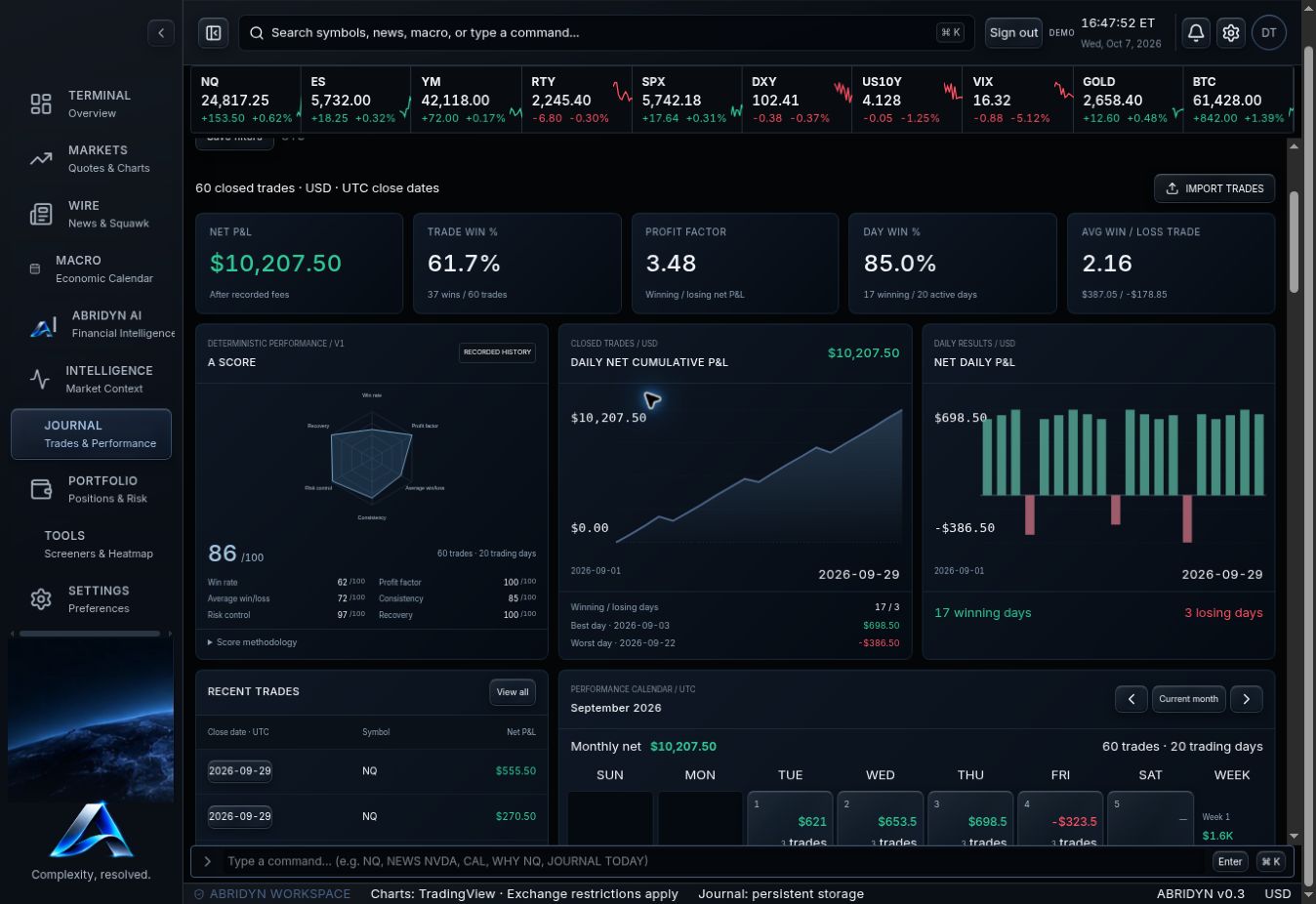
Swipe the image to inspect the details.
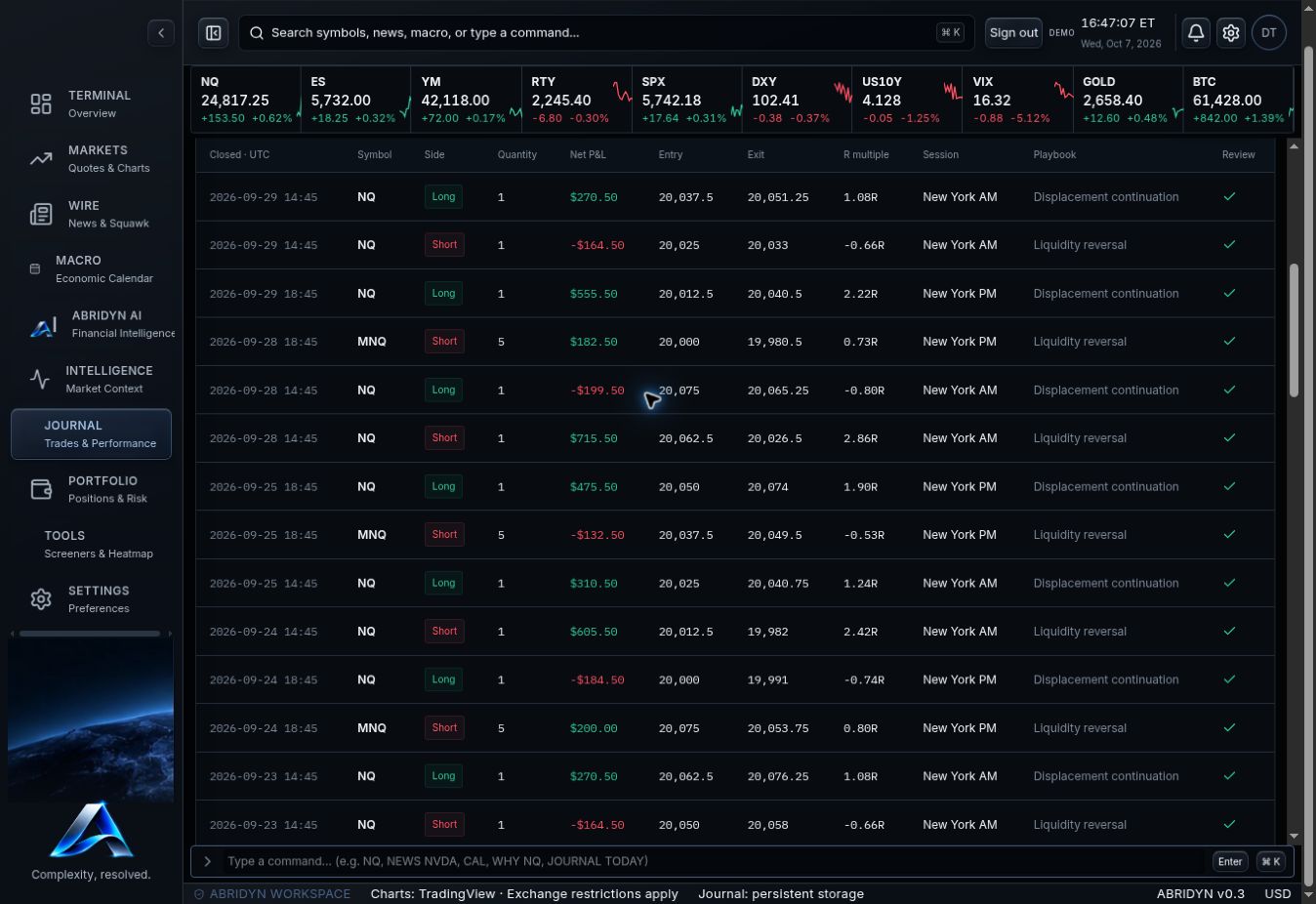
CSV upload. Straight into your review.
Upload your CSV, map the fields and check the preview before saving. Entry, exit, direction, quantity, fees and timestamps stay attached to the trade. Duplicate checks help keep repeat uploads from changing your results. You can also add a completed trade manually.
Organize trades by account and use the history filters to pull up the period, symbol or session you want to review. Start with a clean record and the rest of your review becomes much more useful.
Swipe the image to inspect the details.
See the day. Open the trades behind it.
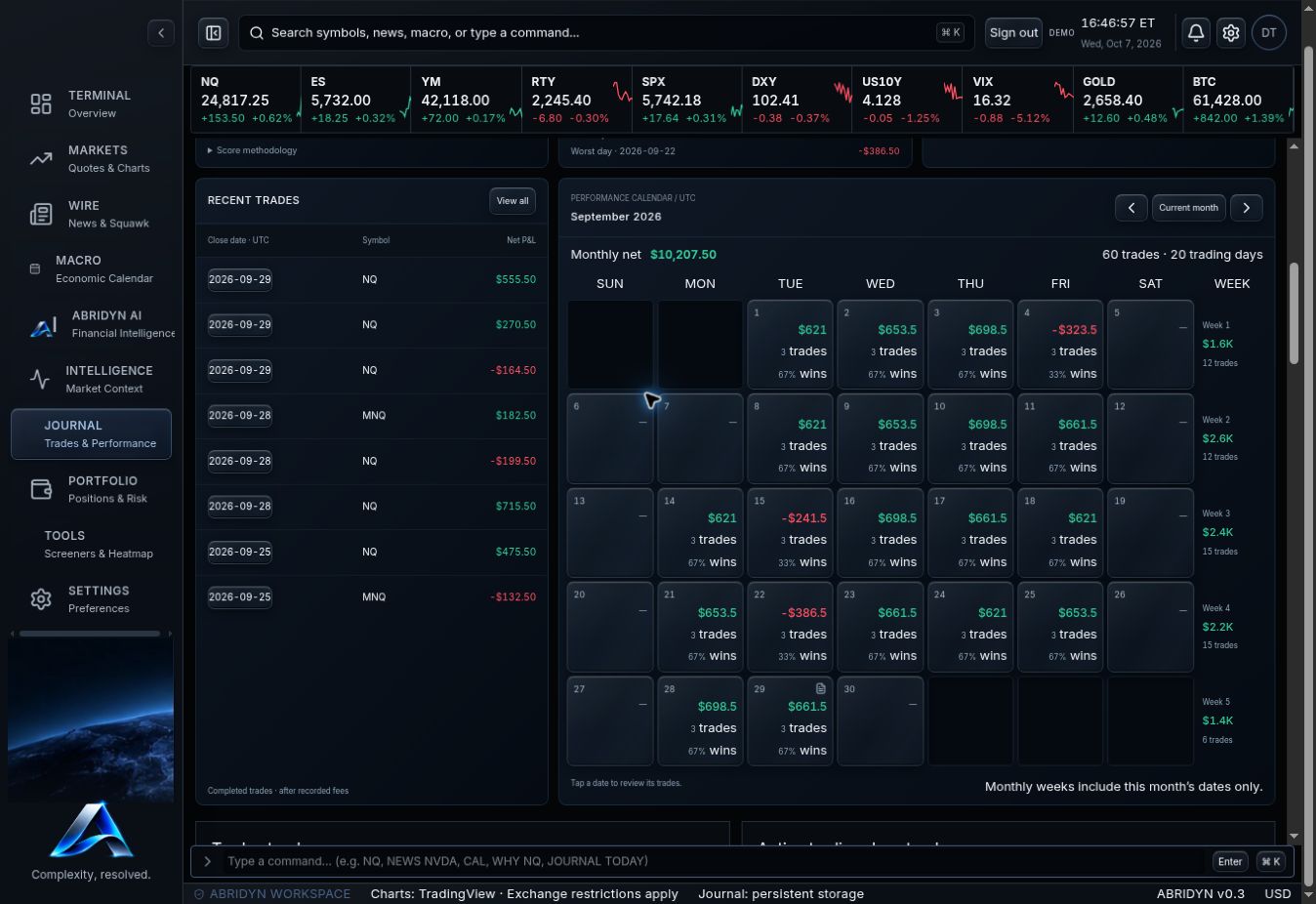
The Journal dashboard brings your net P&L, daily results, performance calendar and cumulative curve into one view. Scan the month, find the day you want to understand and return to its trade history. A SCORE summarizes six calculated components, including win rate, profit factor and consistency, with the component values shown beside the radar.
A green day can still contain poor execution. A red day can contain well-managed trades. Use the calendar to find the session, then review the entries, exits and notes before deciding what to change.
Swipe the image to inspect the details.
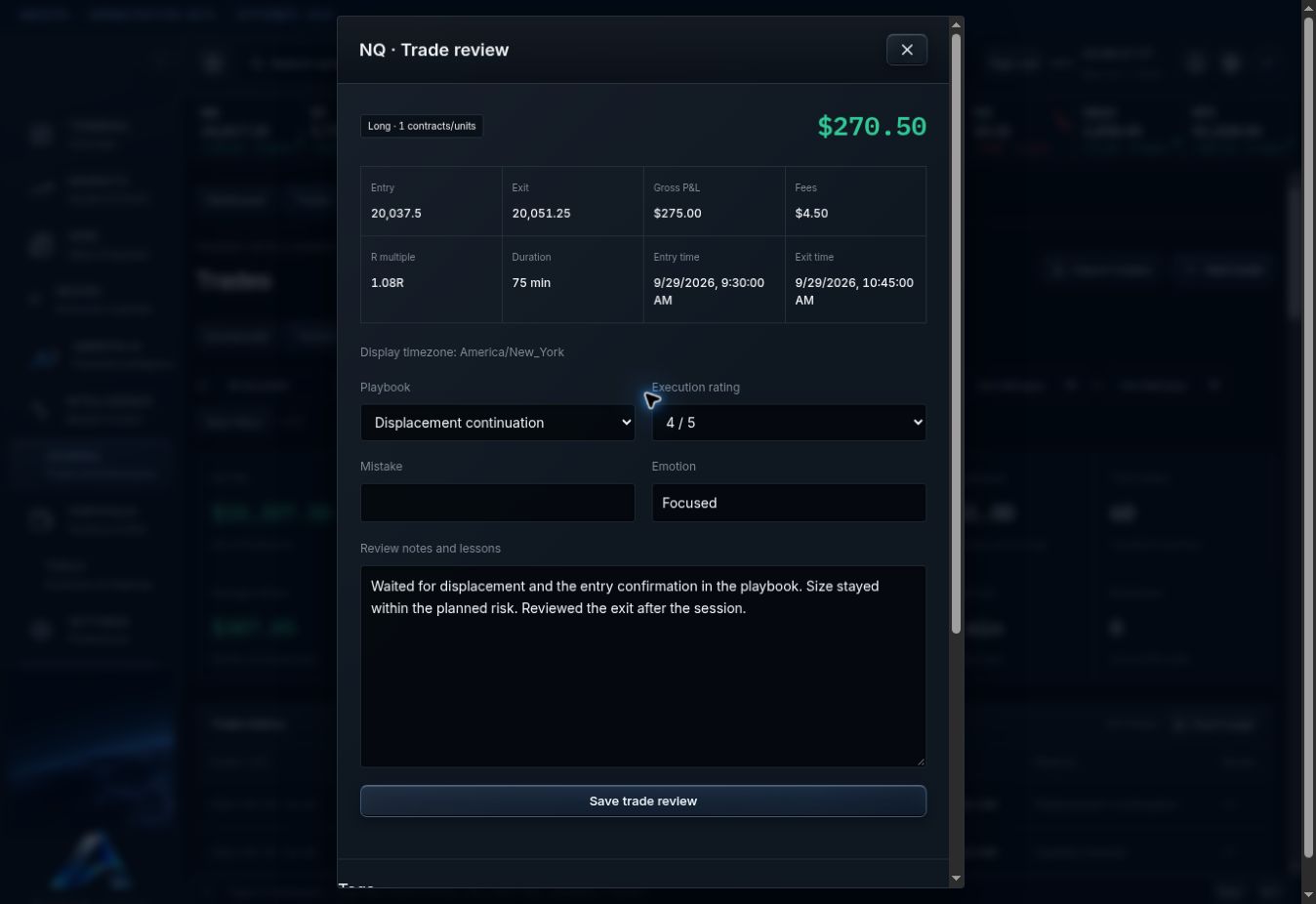
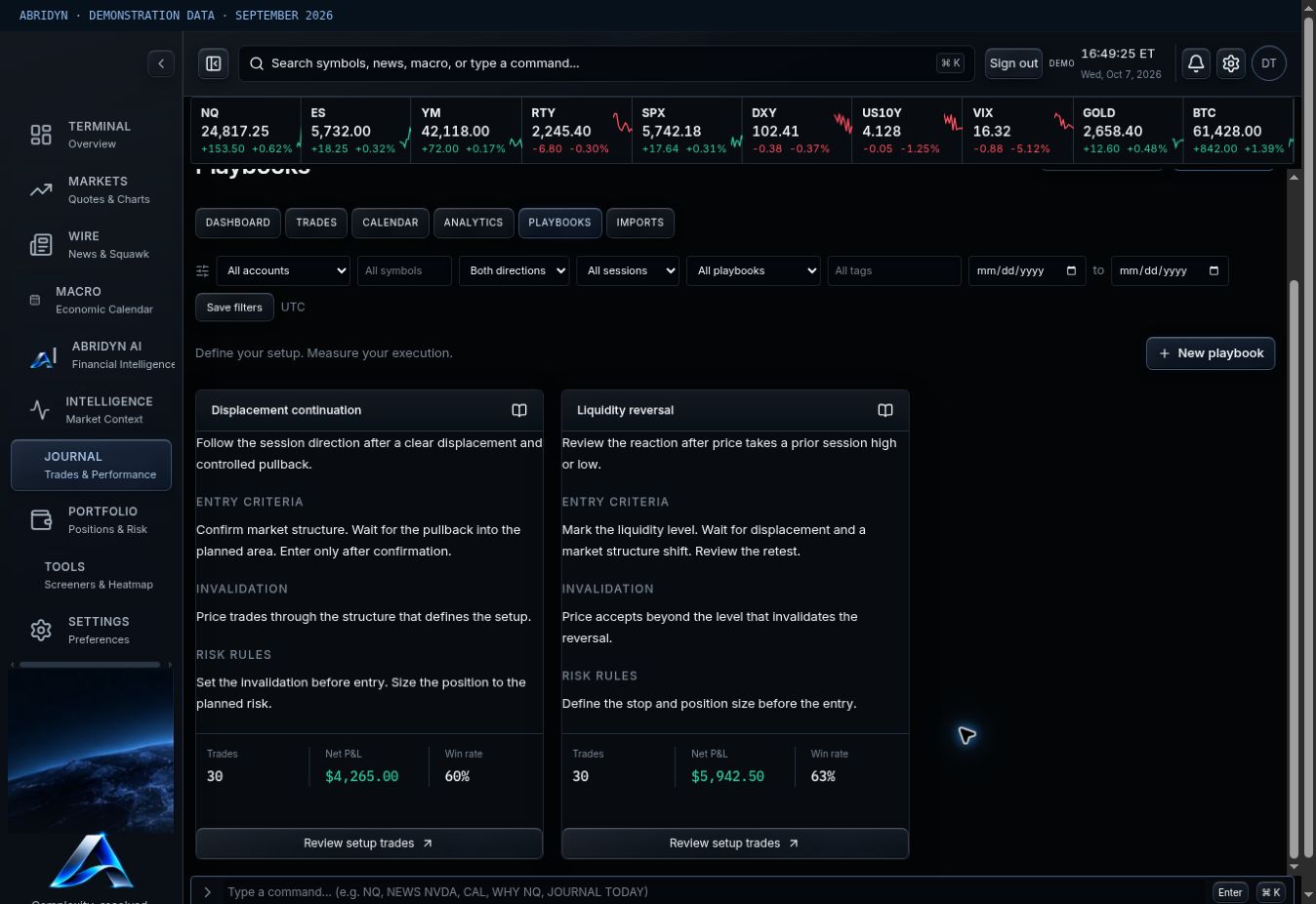
Keep your setup and your decisions together.
Build playbooks around the way you actually trade: your entry criteria, invalidation and risk rules. Associate completed trades with the relevant playbook and session, then add notes, mistakes, emotions and tags while the details are fresh.
Specific notes beat vague judgments. “Entered before my confirmation” gives you something to check. “Bad trade” gives you very little. Keep the vocabulary consistent so you can find the same behavior across your history.
Swipe the image to inspect the details.
Swipe the image to inspect the details.
Make the weekly review worth doing.
Filter the trades, compare results and choose one question to work through. Are late-session trades giving back the morning? Is one playbook carrying the month? Are larger losses coming from the same mistake?
Abridyn keeps the results close to the records. You can inspect the numbers and return to the decisions that produced them without losing the thread of your review.
Common questions.
How do I add my trades?
Use CSV upload, review the mapped fields and confirm the import. You can also enter completed trades manually.
What can I review?
Daily and cumulative P&L, individual trades, fees, sessions, accounts, playbooks and recorded behavior. Journal analytics help you compare those results across your selected history.
Are my records private?
Your Journal is part of your protected account. The examples on this page use demo records.
Put your trading routine in one workspace.
Join the Abridyn beta waitlist. Tell us which markets you trade and get updates as invitations become available.
Already invited? Open Beta Tester Access.