
Your markets. Your research. Room to think.
Keep the chart in view and the rest of the session within reach. Abridyn’s Terminal brings instrument research, watchlists, news and scheduled events into a focused workspace built around the trading day.
Request beta access ↗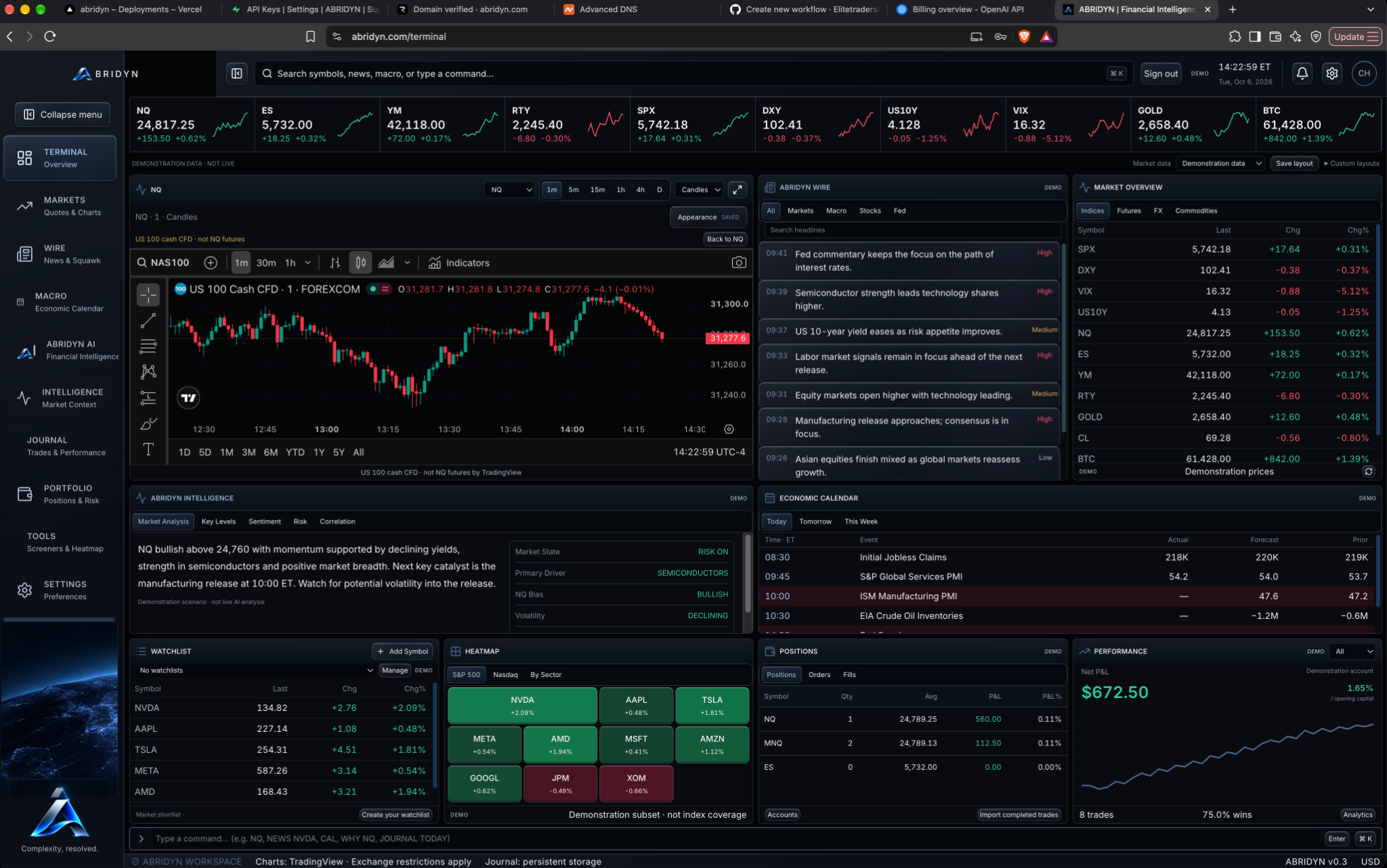
Swipe the image to inspect the details.
Start wide. Bring your instrument into focus.
Organize the symbols you follow into watchlists, search for an instrument and open its TradingView chart. Change the timeframe or chart style as you work through the price action.
Keep the relevant headlines and scheduled events nearby. A useful workspace lets you move from the broader environment to the symbol you trade without abandoning your research. Chart coverage and timing follow the selected provider and instrument.
Prepare for the release before it arrives.
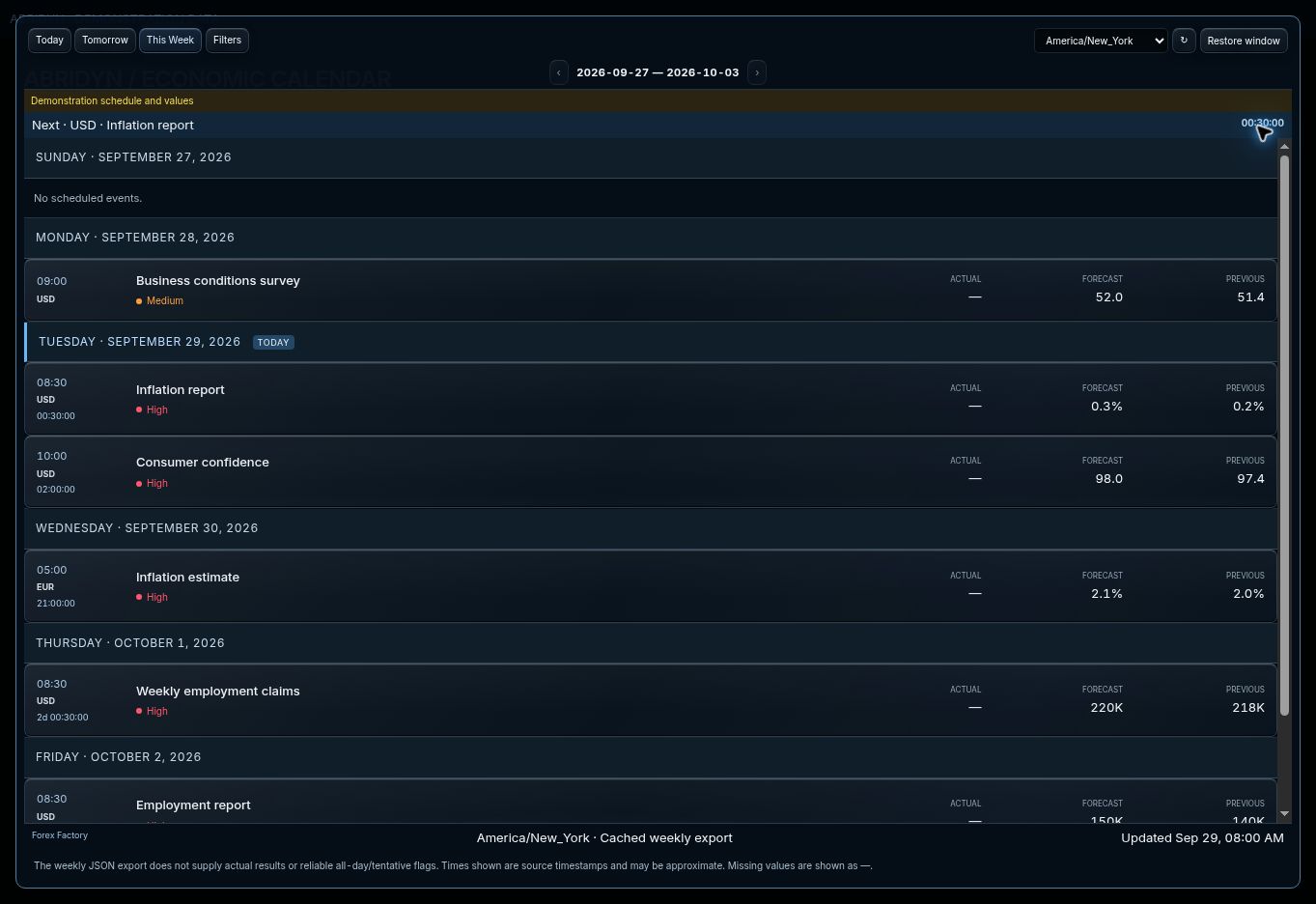
The economic calendar groups events by day and lets you switch between Today, Tomorrow and This Week. Currency, impact and timezone controls help you focus the schedule around your session.
Check the release time, forecast and previous value where supplied. Keep the next event in your risk plan and use the source and update time when checking the schedule.
Swipe the image to inspect the details.
Leave a research trail you can return to.
Keep your thesis, key levels and invalidation in notes. Save the relevant news context and organize your watchlists around the markets you follow.
After the session, return to the instrument and its recorded trades. The Terminal handles preparation; the Journal gives you the place to review how you traded the plan.
Common questions.
What is in the Terminal?
Embedded charts, instrument search, watchlists, market-information panels, news, an economic calendar and research notes.
Can I use a weekly calendar view?
Yes. This Week separates events by day, with currency, impact and timezone controls.
How do I check the data source?
Use the provider labels, source links and timestamps shown in the workspace. Demo views are labeled separately.
Put your trading routine in one workspace.
Join the Abridyn beta waitlist. Tell us which markets you trade and get updates as invitations become available.
Already invited? Open Beta Tester Access.