
Know the schedule before the session starts.
Keep scheduled releases in view while you prepare. Abridyn’s economic calendar groups the week by day and puts the release time, currency, impact and available values where you can check them quickly.
Request beta access ↗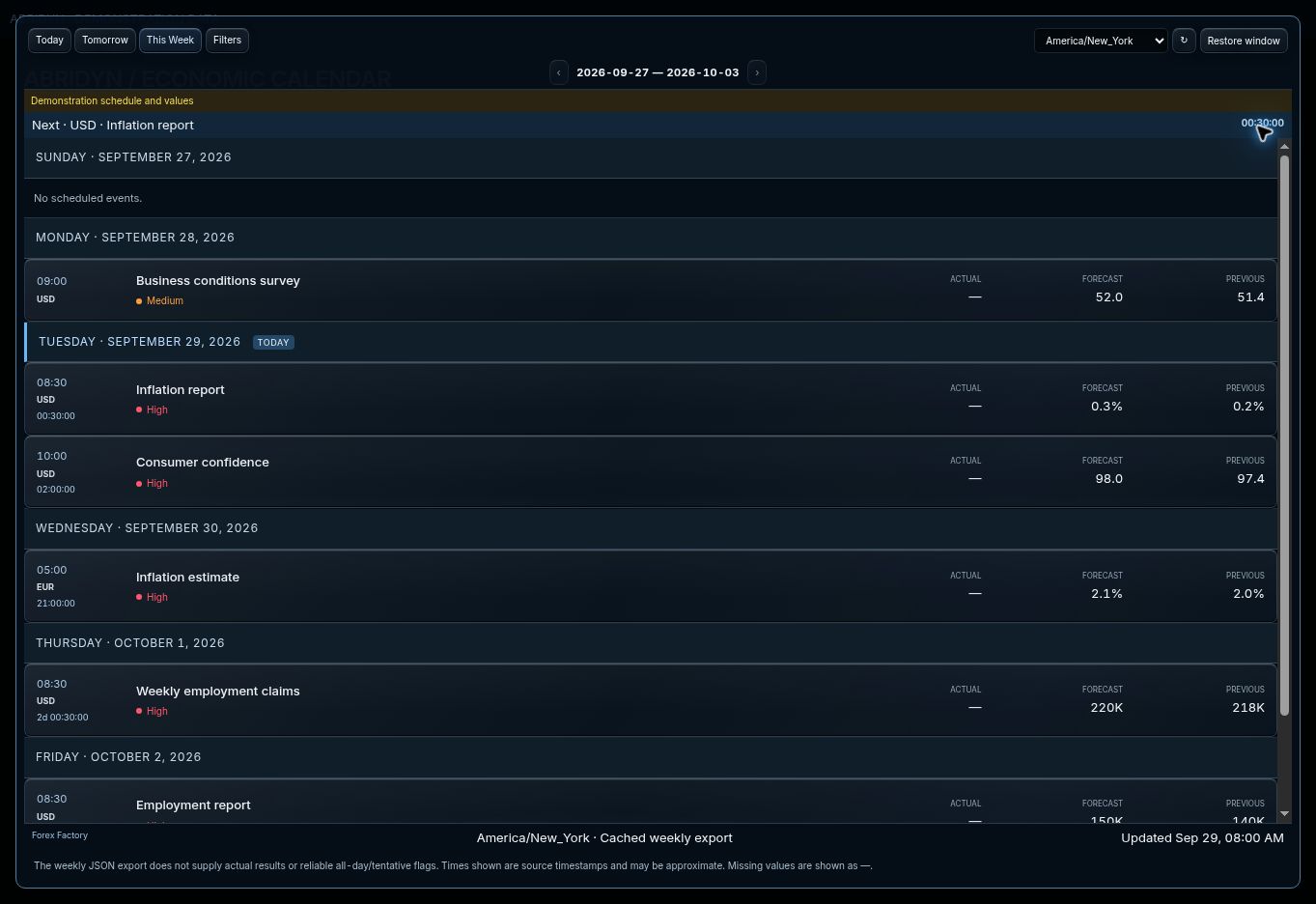
Swipe the image to inspect the details.
See the week, then narrow the session.
Switch between Today, Tomorrow and This Week. Daily headings keep the weekly schedule clear, while currency and impact filters help you find the events relevant to the instruments you trade.
Select the timezone you use for preparation. Check the next scheduled release and its countdown before setting the risk window in your plan.
Open the event and check the detail.
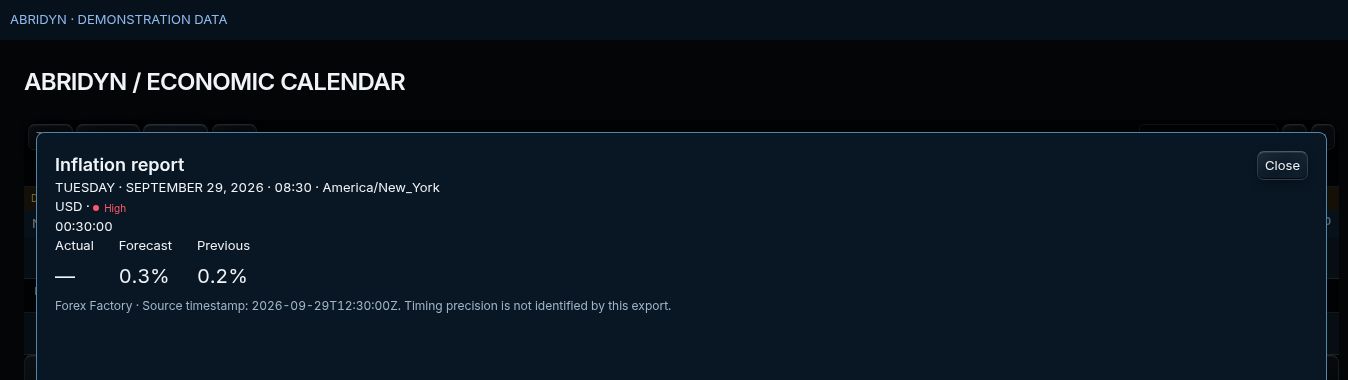
Select an event to review its scheduled time, currency, impact and supplied values. Forecast and previous figures give the release context; available fields follow the source feed.
The calendar keeps its source and update time visible. Use those details when checking a time-sensitive release against the original schedule.
Swipe the image to inspect the details.
Bring the schedule into your trade review.
Note the events you planned around before the session. Afterward, compare the execution timestamps and your Journal notes with that plan.
This makes the review specific: did you wait through the release, change size or enter during a risk window you had already identified? Keep the answer with the trade.
Common questions.
Can I view the full week?
Yes. This Week groups scheduled events under daily headings so the date stays clear.
Can I filter the schedule?
Use currency and impact filters, then select the timezone that matches your preparation.
What does the countdown show?
The time remaining until the scheduled release. Check the source and update time when confirming the schedule.
Put your trading routine in one workspace.
Join the Abridyn beta waitlist. Tell us which markets you trade and get updates as invitations become available.
Already invited? Open Beta Tester Access.