
Keep each account’s performance in focus.
Different accounts deserve a clear record. Abridyn organizes your completed trades by account, connects recorded realized P&L to your entered opening balance and gives you a consistent way to review the results.
Request beta access ↗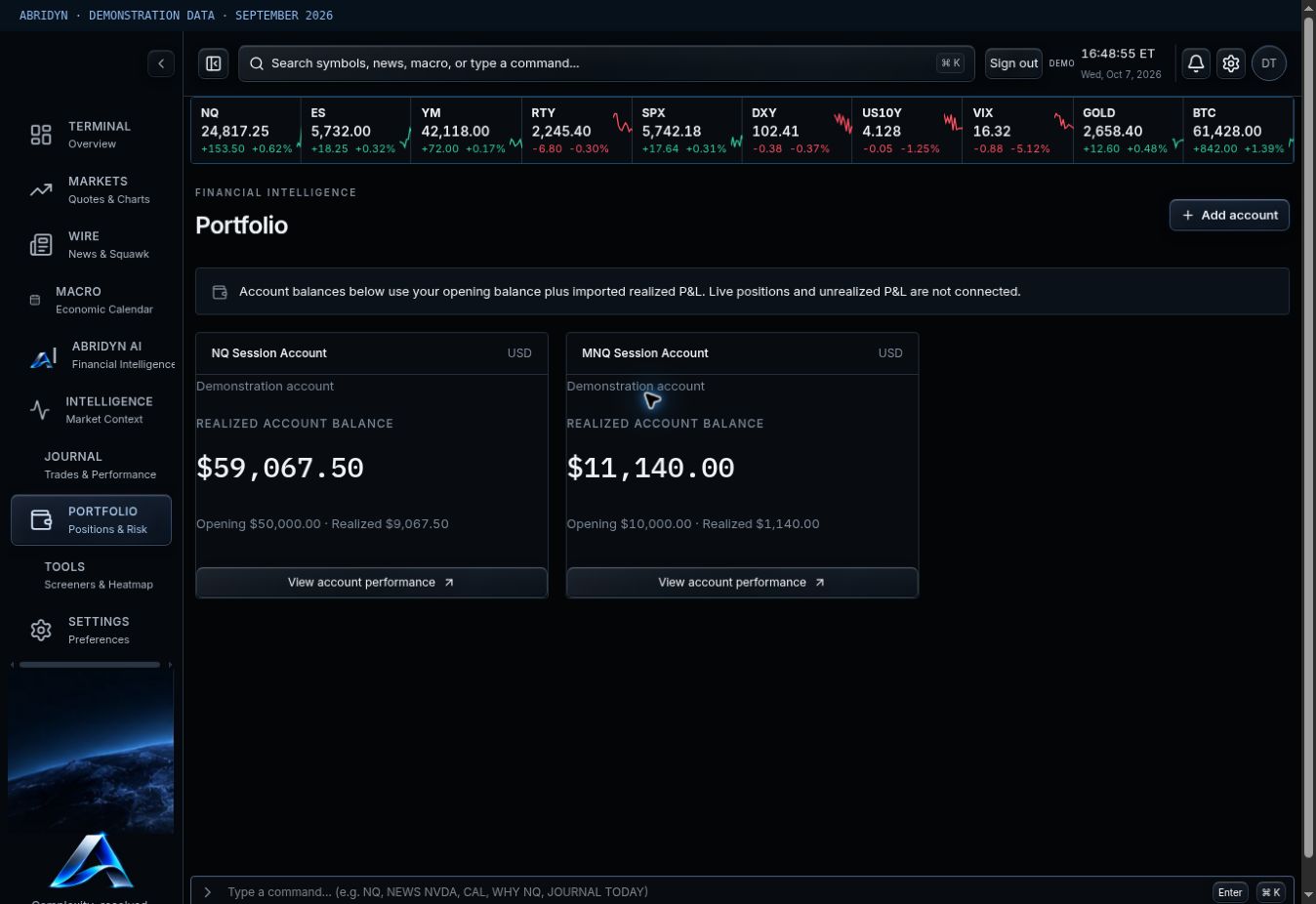
Swipe the image to inspect the details.
Give each account a clear starting point.
Create an account label, enter the opening balance and attach the right trades during CSV upload or manual entry. The recorded balance combines that starting figure with the realized P&L in your Journal.
Use it to follow your recorded trading progress. Keep the source statements alongside your review when reconciling cash movements or the complete brokerage balance.
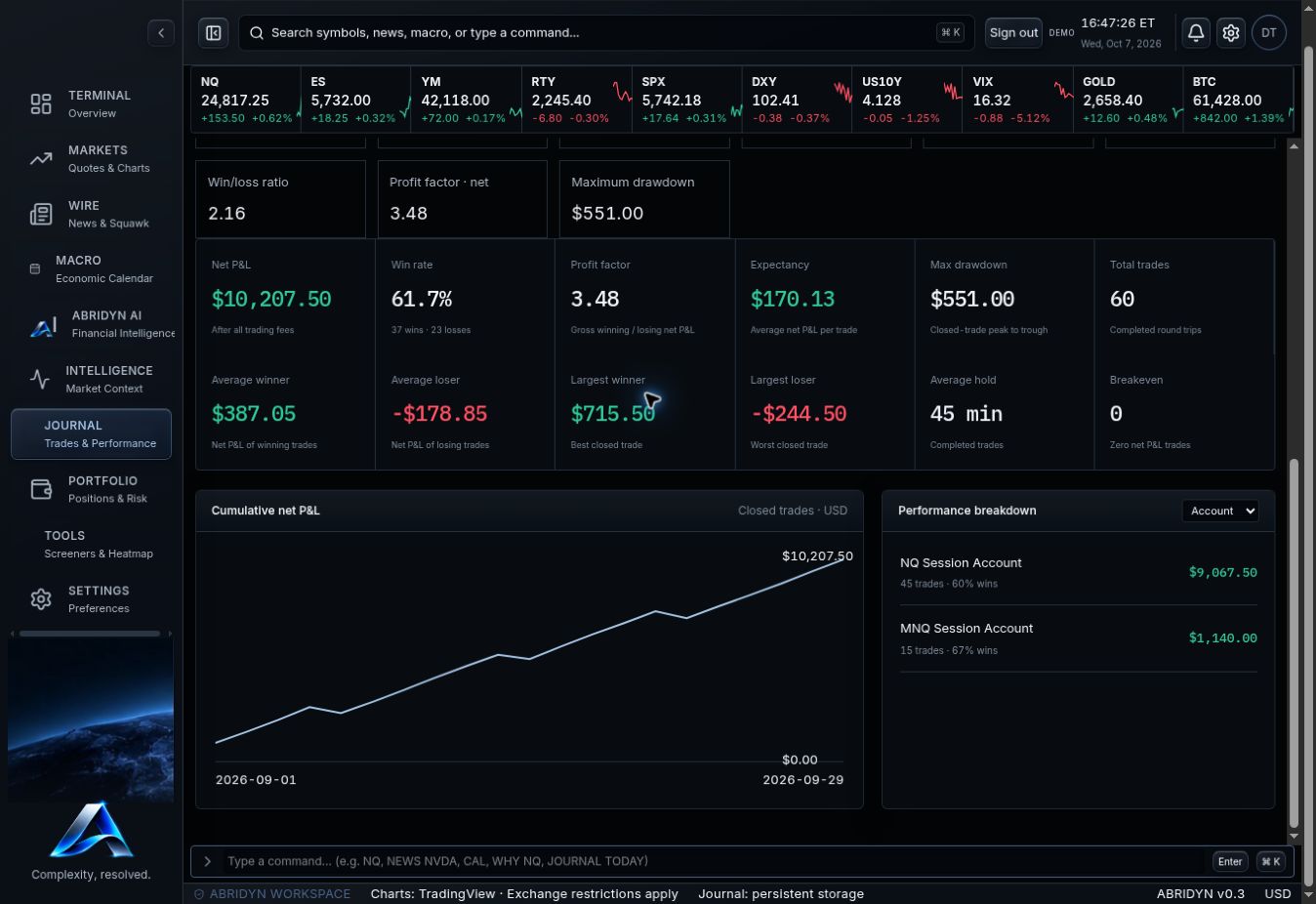
Compare the trades, then compare the accounts.
Filter your analytics by account and review net results, trade count, costs and the shape of the cumulative curve. Check the sizing and instruments behind a difference before judging one account against another.
An account with a larger dollar result may have larger exposure. Open the records and use a consistent period so you can understand what actually changed.
Swipe the image to inspect the details.
Make account review part of the routine.
At the end of the week, select the account and period, inspect the totals and open the trades that need attention. Keep your playbooks and notes attached to the record.
This page covers recorded account performance: the history built from your completed trades and the opening balance you supply. The same history carries through to the Journal and performance analytics.
Common questions.
How is the recorded balance calculated?
Your entered opening balance plus recorded realized P&L for that account.
Can I review one account at a time?
Yes. Account filters keep the trades and analytics focused on the account you selected.
Put your trading routine in one workspace.
Join the Abridyn beta waitlist. Tell us which markets you trade and get updates as invitations become available.
Already invited? Open Beta Tester Access.